


At J Tech Photonics, one of the most common questions we hear is: “Which laser should I get?” Whether you’re cutting production parts, engraving custom signs, or engraving photos for your business or hobby, choosing the right laser can make a huge difference in your results, and your satisfaction.
This guide breaks down our current lineup — from hobby-focused engraving to serious cutting power — and helps you decide which model fits your application and budget. It focuses on applications and gives a CNC laser power comparison to help make your decision.
How These Lasers Are Used
There are three main types of laser tasks:
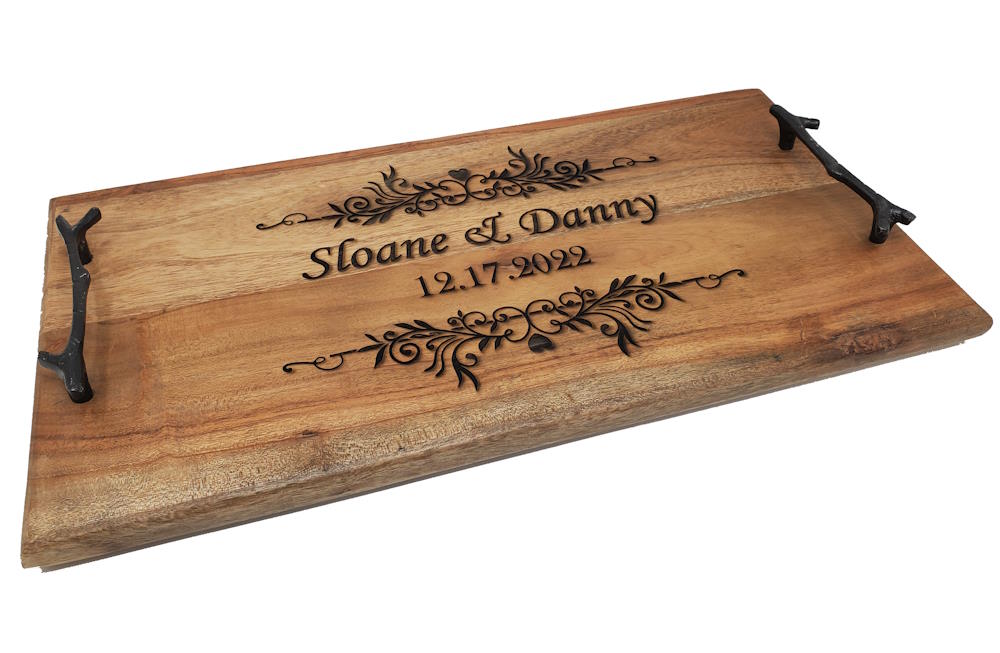
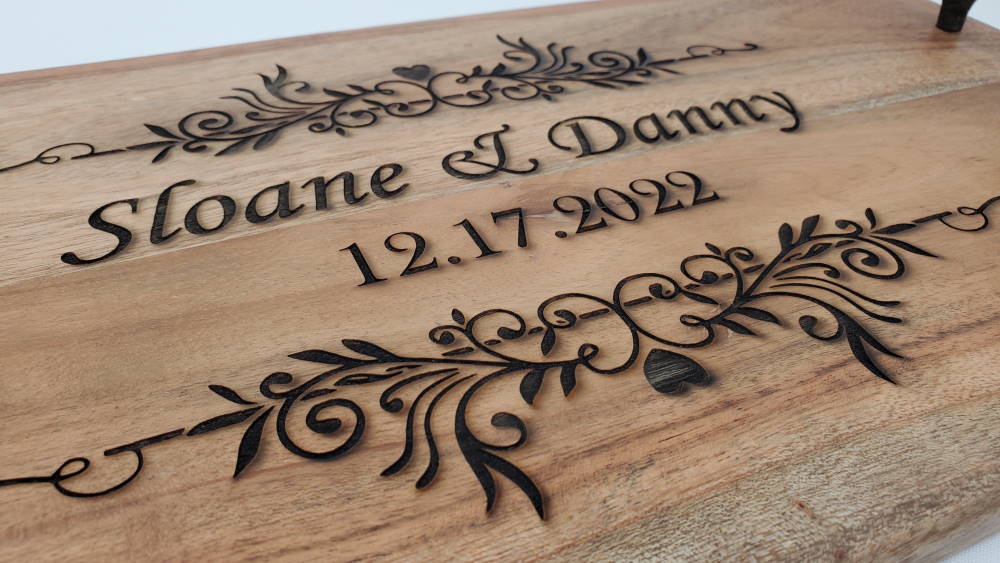
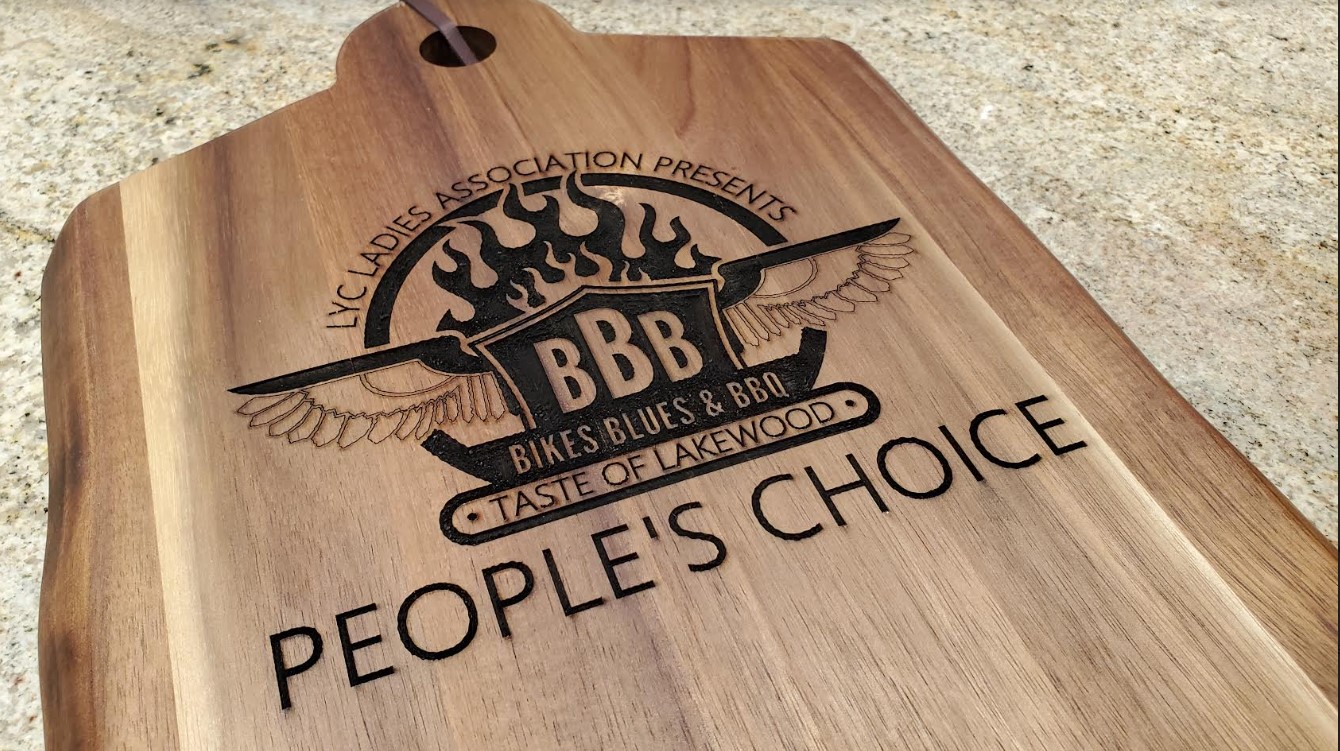
✅ Engraving Vectors — fast outlining and logo/text engraving
✅ Photo Engraving — detailed grayscale or photo-realistic images
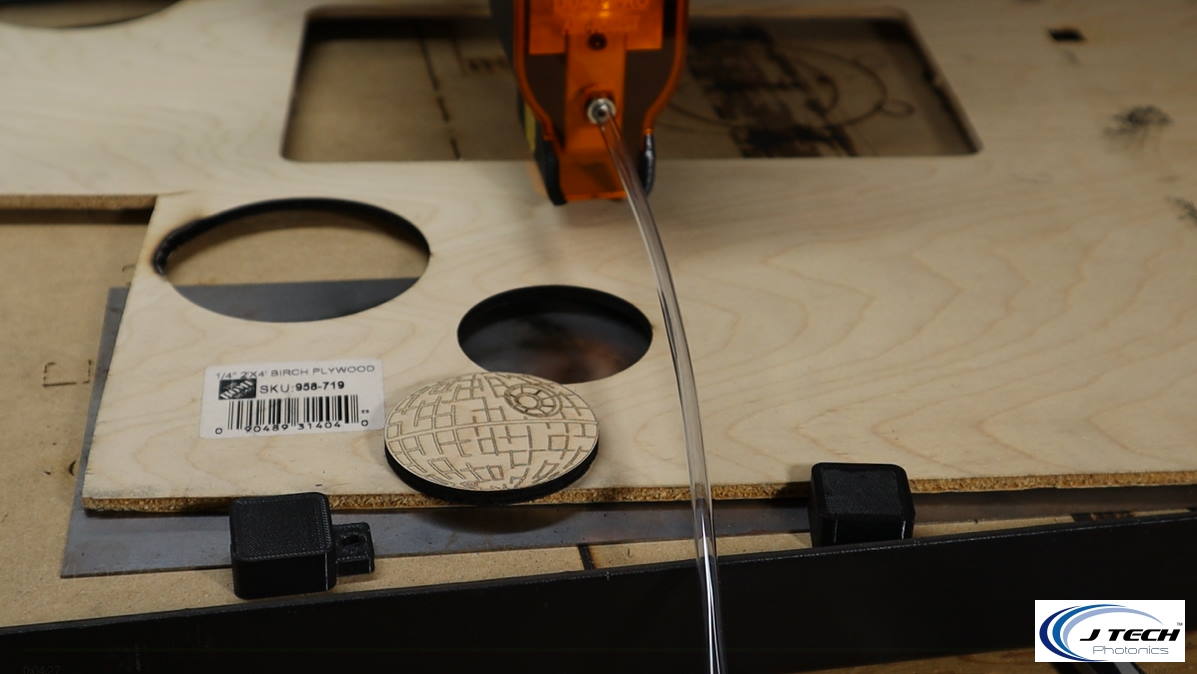
✅ Cutting — slicing all the way through materials
Different laser powers excel at different tasks. We’ve organized the lineup to help you pick based on what you want to do.

Our Current Laser Lineup
| Laser Model | Power | Best For | Cutting | Photo Engraving |
|---|---|---|---|---|
| 7W+ | ~7 W | Detailed engraving & photos | ❌ | ✅ |
| 14W+ | ~14 W | All-around engraving & light cutting | ⚠️* | ✅ |
| 34W PRO 2-in-1 | ~34 W | Balanced cutting & engraving | ✅ | ✅ |
| 64W PRO 3-in-1 | ~64 W (3 modes: 24 W / 44 W / 64 W) | Full cutting production & fast engraving | ✅ (fastest) | ✅ |
*14W+ can do very light cutting on thin or low-density materials.

7W+ Laser – Precision Engraving Power
- YES: Vector Engraving
- YES: Photo Engraving
- NO: Cutting
14W+ Laser – Your First Step into Cutting
- YES: Vector Engraving
- YES: Photo Engraving
- NO*: Cutting (Thin and non-dense items up to 1/8″ plywood)
34W PRO 2-in-1 Laser – Balanced Performance
- YES: Vector Engraving
- YES: Photo Engraving
- YES: Cutting (Fast)
64W PRO 3-in-1 Laser – Maximum Power. Maximum Control.
- YES: Vector Engraving
- YES: Photo Engraving
- YES: Cutting (Fastest cutting ever!)
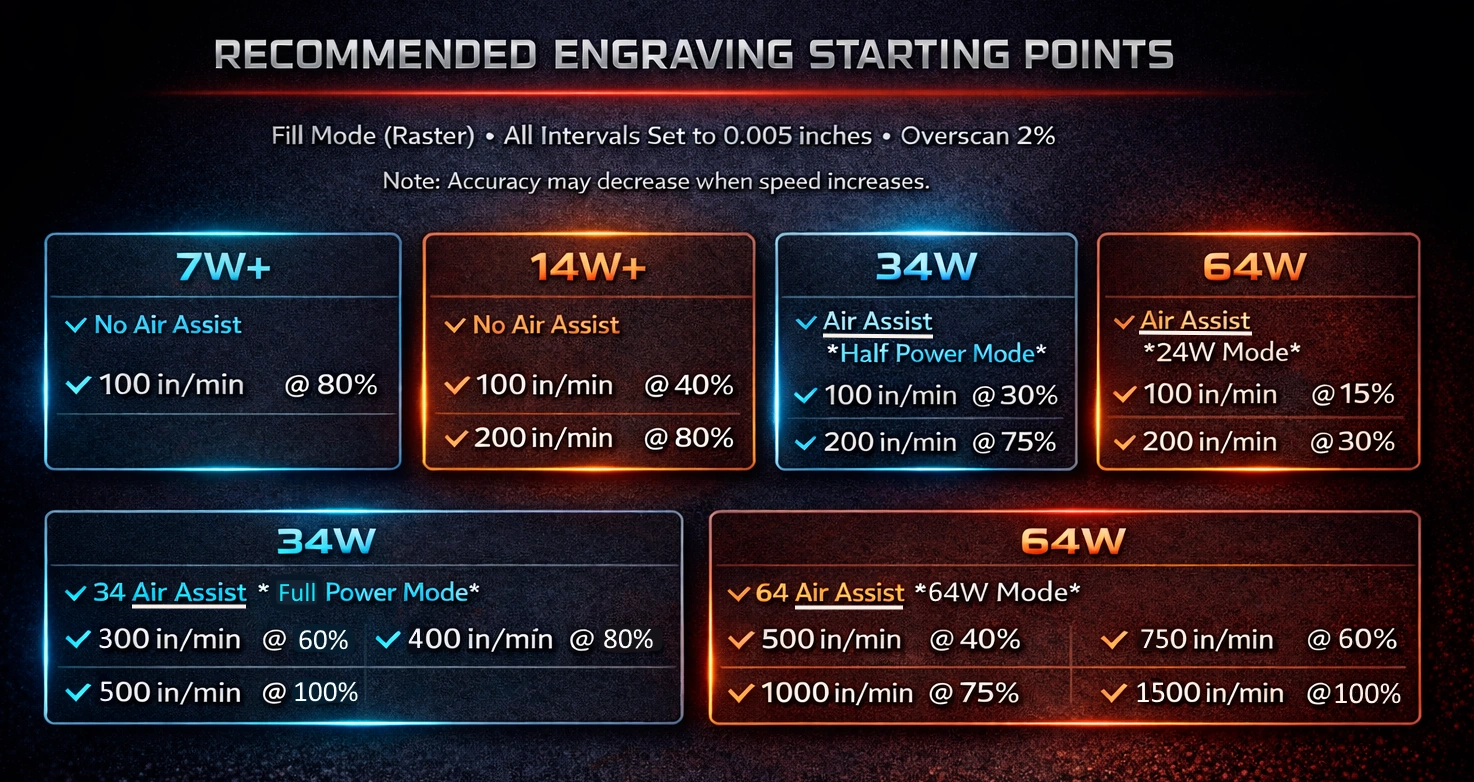
1. Engraving Vectors — The Bread and Butter
All of our lasers can engrave vector graphics — but how fast and efficient they are varies by power:
- 7W+ – slowest but great fine detail and small jobs
- 14W+ – faster engraving and more power than the 7W+
- 34W PRO – noticeably faster speeds and good productivity
- 64W PRO – fastest engraving performance
If your priority is speed and throughput, the 34W PRO or 64W PRO will finish jobs much quicker than the lower-powered options — great for business or production workflows.
2. Photo Engraving — Grayscale Detail
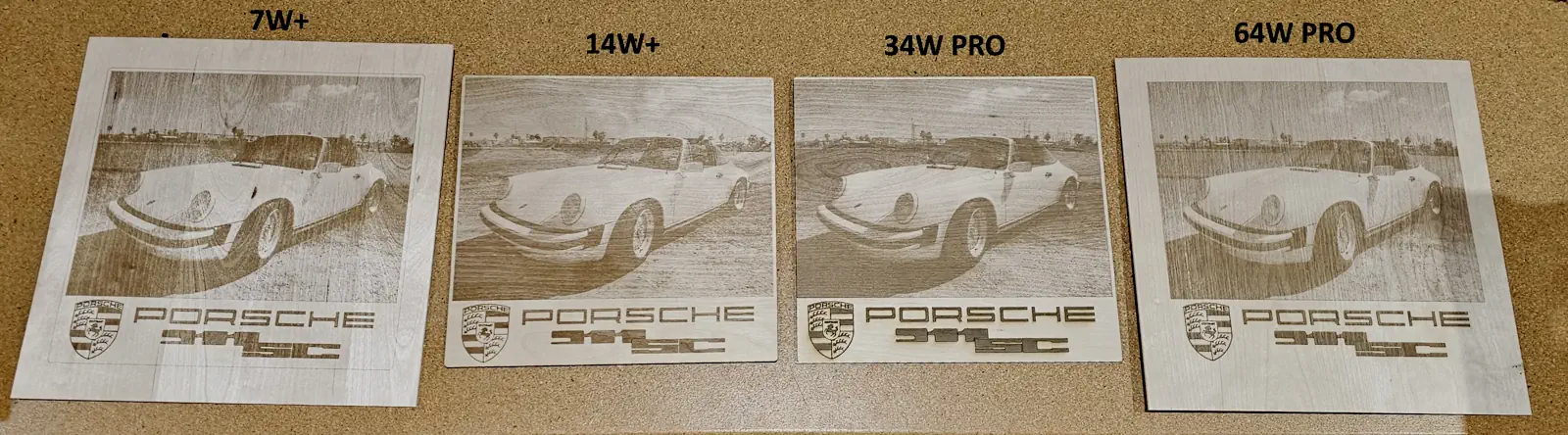
Detailed photo engravings (like faces or complex textures) benefit from consistent power and fine control:
- 7W+ and 14W+ are excellent for photo engraving — they deliver rich detail and tonal range.
- 34W PRO and 64W PRO can also engrave photos well, especially when paired with optimized settings.
We completed a photo engraving shoot out if you want to research photo engraving quality in more detail.
3. Cutting — From Hobby to Production
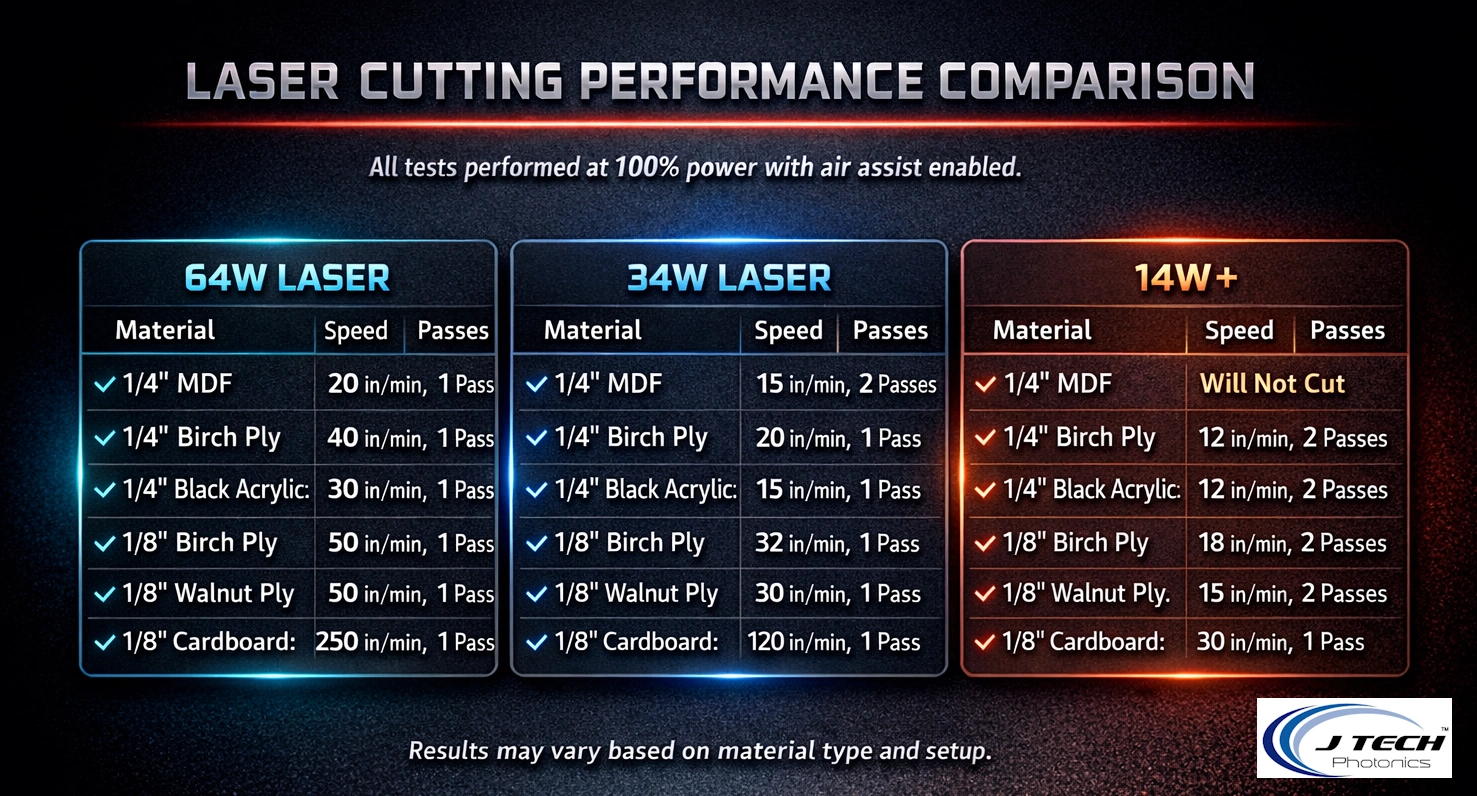
Laser cutting is where power really matters:
- 7W+ – not designed for cutting
- 14W+ – very light cutting only (thin, low-density materials)
- 34W PRO 2-in-1 – cuts wood like 1/4″ plywood easily, faster than small lasers
- 64W PRO 3-in-1 – highest cutting capability with three power modes (24 W / 44 W / 64 W) for maximum flexibility and speed
If your projects include frequent cutting — especially thicker materials — the 34W PRO or 64W PRO is where you’ll see real performance gains.
Which Laser Should You Pick?
🔹 If you want everything (cutting + fast engraving) on one laser:
➡️ 64W PRO 3-in-1 — unbeatable cutting power, fastest engraving, and versatile performance.
🔹 If you want balanced cutting and engraving without the highest price:
➡️ 34W PRO 2-in-1 — great mid-range power for makers and small businesses.
🔹 If you only want to engrave photos and vectors:
➡️ 7W+ or 14W+ — best choice for engraving detail at a good cost.
🔹 If you’re on a budget but still want light cutting:
➡️ 14W+ — all-around laser that does a bit of each.
Next Steps
Ready to choose? Head over to our All in One Bundles to get specs, features, and full kits for your CNC machine. The right laser for your workflow is waiting.
